Maps for Sage CRM Database Connection Settings
Learn how to update the SQL Server connection settings for Maps for Sage CRM.
Configuration Utility
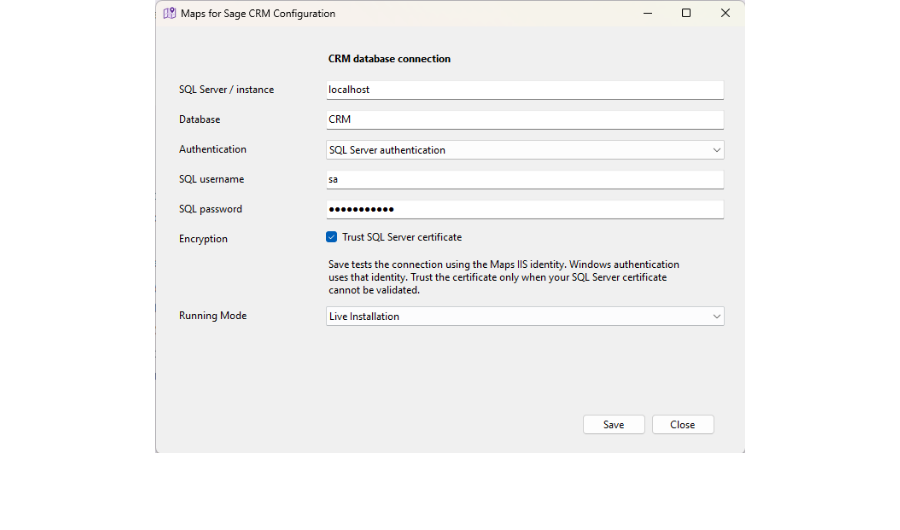
Use the supplied Maps for Sage CRM Configuration utility to change the server, database, authentication method or credentials after installation. This utility is installed with Maps for Sage CRM and can be found via the Start menu on the server where Maps for Sage CRM is installed.
If you select Windows Authentication, Maps for Sage CRM will connect to the CRM database using the IIS Application Pool identity. By default, this is ApplicationPoolIdentity. Please ensure that the selected IIS application pool user has the relevant permissions to connect to the Sage CRM database with db_owner rights. Typically it is best to change the Application Pool identity to a local machine user account and grant that SQL permissions.